



10 Best AI Tools for Students in 2026: Artificial intelligence is changing the way students learn, revise and prepare for exams. From explaining difficult concepts in simple language to creating practice questions, analysing notes, improving English and helping with coding, AI tools can act like a 24/7 digital study assistant.
For students in India, these tools can be particularly useful for CBSE, ICSE, state boards, college courses and competitive exams such as UPSC, SSC, RPSC, JEE and NEET.
But there is an important rule: AI should support learning, not replace it. Students should verify important information, consult textbooks and teachers, and develop their own understanding rather than simply copying AI-generated answers.
Table of Contents
10 Best AI Tools for Students in 2026

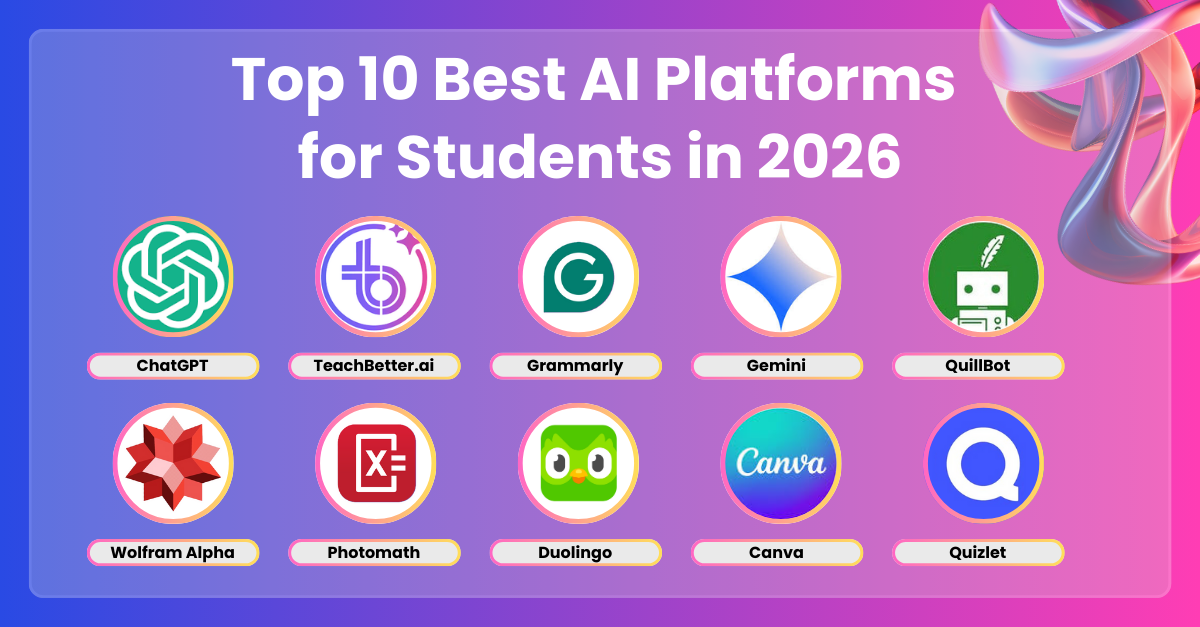
Best AI Tools for Students in India
| AI Tool | Best For | Key Student Benefits |
| ChatGPT | Concept learning & exam preparation | Explanations, quizzes, study plans, coding, mock viva and revision |
| Google Gemini | General study assistance | Summaries, brainstorming, image-based questions and multilingual support |
| Perplexity AI | Research | Web-based answers with citations and source links |
| Google NotebookLM | Notes & revision | Answers questions and creates summaries from uploaded study material |
| Google Lens | Questions & visual learning | Recognises textbook questions, diagrams and handwritten content |
| WolframAlpha | Maths & science | Calculations, formulas, graphs and technical problem solving |
| Grammarly | English writing | Grammar, spelling, clarity and writing suggestions |
| Canva AI | Presentations & projects | Slides, posters, infographics and visual content |
| GitHub Copilot | Programming | Code suggestions, explanations and debugging assistance |
| Anki | Memorisation | Flashcards and spaced-repetition revision |
1. ChatGPT — Best All-Round Study Assistant
ChatGPT can work as a flexible study partner for students who need help understanding, practising or revising a topic.
Instead of asking only for an answer, students can use it to break complicated concepts into simpler steps, generate MCQs, conduct mock interviews, create revision schedules and practise viva questions.
Example Prompt
Explain photosynthesis to a Class 10 student in simple Hindi-English, then create 10 MCQs with answers and explanations.
It can also help with programming, essay structure, translations and brainstorming.
Best for: Concept clarification, exam preparation, MCQs, coding and personalised revision.
Tip: Ask follow-up questions such as “Explain this with an example” or “Give me a harder question” to turn AI into an interactive tutor.
2. Google Gemini — Best for Everyday Study Tasks
Google Gemini can assist with explanations, summaries, brainstorming and image-based learning.
Students can use it to simplify a difficult chapter, analyse a diagram, compare two concepts or generate topic-wise practice questions.
It can also be useful for students studying in different Indian languages, although the quality of responses can vary depending on the language and subject.
Best for: General study, summaries, image-based questions and multilingual learning.
3. Perplexity AI — Best for Research
When students need to research a topic, Perplexity AI can be particularly useful because its answers generally include citations and links to sources.
It can help with college assignments, project research, presentations and background information on subjects such as science, history, technology and current affairs.
However, students shouldn’t treat the AI-generated summary as the final source. Open the cited sources and verify important claims before using them in an assignment.
Best for: Research, projects, current affairs and source discovery.
4. Google NotebookLM — Best for Studying Your Own Notes
Google NotebookLM is particularly useful when you already have study material and want to turn it into a more interactive revision resource.
Students can provide notes, PDFs and other supported study documents and ask questions based on that material.
For example, you can ask it to create:
- A one-page chapter summary
- Important definitions
- Key points for revision
- Potential exam questions
- A comparison table
- A short quiz with answers
Best for: Revision, lecture notes, PDFs and exam preparation.
Useful Prompt
Create 15 important exam questions from these notes. Divide them into easy, moderate and difficult levels and provide answers separately.


5. Google Lens — Best for Visual Homework Help
Google Lens can recognise text and images using a smartphone camera, making it useful when students encounter a difficult textbook question, diagram or handwritten problem.
Instead of simply looking for the final answer, students should use it to understand how the problem is solved.
For example, after scanning a mathematics question, try asking for the reasoning behind each step rather than copying the final result.
Best for: Textbook questions, diagrams, handwritten notes and visual learning.
6. WolframAlpha — Best for Mathematics and Technical Subjects
WolframAlpha is particularly useful for mathematics, statistics, physics and other technical subjects.
It can perform calculations, work with formulas, generate graphs and provide solutions for many types of mathematical problems.
The best way to use it is to attempt the problem yourself first, then use the tool to check your calculations or understand where your method went wrong.
Best for: Mathematics, statistics, physics, formulas and calculations.
7. Grammarly — Best for Improving English
Grammarly can help students improve the quality of English writing by identifying issues with grammar, spelling, punctuation, clarity and sentence construction.
It can be useful for:
- College assignments
- Project reports
- Emails
- Applications
- Essays
- Presentations
However, students should use it primarily as an editing and learning tool, rather than relying on AI to write an entire assignment.
Best for: English grammar, proofreading and improving clarity.
8. Canva AI — Best for Presentations and Projects
Canva’s AI-powered features can help students create presentations, posters, infographics, diagrams and other visual materials.
It can be useful for school projects, college presentations, seminars and educational social-media content.
However, good design isn’t just about attractive templates. Students should prioritise clear information, readable text, logical structure and properly credited visuals.
Best for: PPT presentations, project covers, posters, infographics and visual study material.
9. GitHub Copilot — Best for Programming Students
Programming students can use GitHub Copilot to assist with writing code, explaining functions, suggesting solutions and identifying potential errors.
It can be useful while learning languages such as Python, Java, JavaScript and others.
But there is a major difference between getting code and understanding code. Students should test AI-generated code, read every important section and understand the underlying logic.
Best for: Coding practice, debugging, code explanations and software projects.
10. Anki — Best for Memorisation and Revision
Anki takes a different approach from generative AI tools. It is a flashcard-based learning platform built around spaced repetition, which can help students review information at strategically timed intervals.
It can be useful for memorising:
- Vocabulary
- Formulas
- Definitions
- Dates
- Scientific terminology
- Important facts
- Medical terminology
- Competitive-exam concepts
Students can create separate decks for subjects such as biology, chemistry, law, languages and general knowledge.
Best for: Long-term memorisation and regular revision.
Best AI Tool Based on Your Requirement
| Your Requirement | Recommended Tool |
| Understand difficult concepts | ChatGPT / Gemini |
| Research a topic | Perplexity AI |
| Study from your own PDFs and notes | NotebookLM |
| Solve and understand maths problems | WolframAlpha |
| Scan textbook questions | Google Lens |
| Improve English writing | Grammarly |
| Create PPTs and project designs | Canva AI |
| Learn programming | GitHub Copilot |
| Memorise facts and formulas | Anki |


How to Use AI for Exam Preparation
Instead of using ten different tools randomly, students can build a simple AI-assisted study workflow:
Step 1: Learn
Ask ChatGPT or Gemini to explain a difficult topic in simple language.
Step 2: Study
Read the textbook, class notes or official study material.
Step 3: Revise
Upload your notes to NotebookLM and generate summaries or questions.
Step 4: Practise
Ask an AI tool to create MCQs, short-answer questions or a mock test.
Step 5: Check
Use reliable sources, textbooks or tools such as WolframAlpha to verify important answers.
Step 6: Memorise
Convert important facts, formulas and definitions into Anki flashcards.
This approach makes AI part of the learning process instead of a shortcut around it.
How Students Should Use AI Responsibly
AI can save time, but using it incorrectly can actually weaken learning. Students should follow a few basic rules:
- Ask AI to explain instead of simply giving the answer.
- Verify important facts using textbooks, teachers and reliable sources.
- Never submit AI-generated work as your own when academic rules prohibit it.
- Don’t blindly trust AI-generated information.
- Avoid uploading sensitive personal information or confidential documents.
- Check your school’s, college’s or examination authority’s AI-use policies.
- Understand and test AI-generated code before using it.
- Use AI-generated references only after checking the original source.
- Treat AI as a study assistant, not a replacement for teachers or independent thinking.
Also Read:- Best Canva Alternatives in 2026: Free and Paid Design Tools